Join the beta and get exclusive discounted pricing at launch.

OUTRO
For music producers

Project management for music producers: one home for every track.

Outro gives each track its own tasks, files, notes, session hours and feedback, next to any DAW.

Beta · Windows and Mac · No card required

Tasks

Tasks sorted by the part of the track.
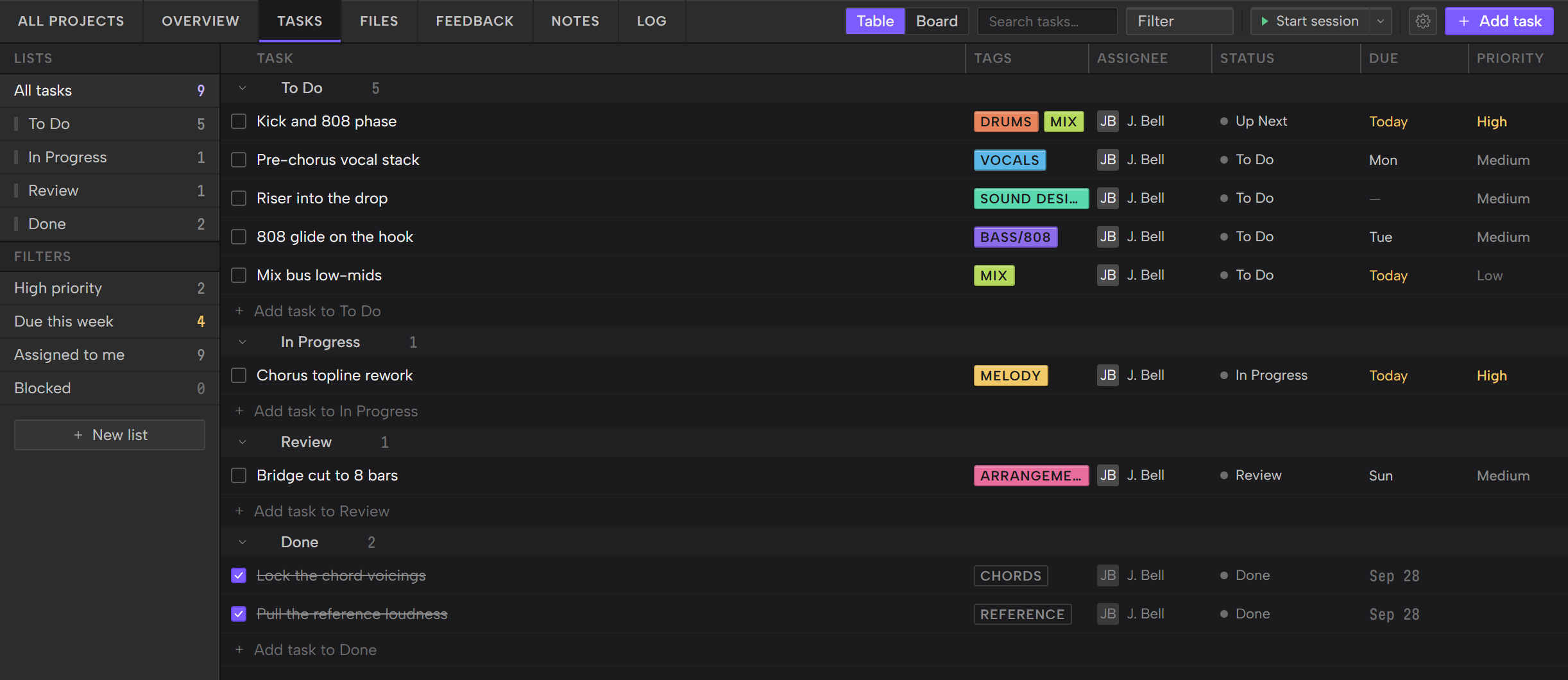
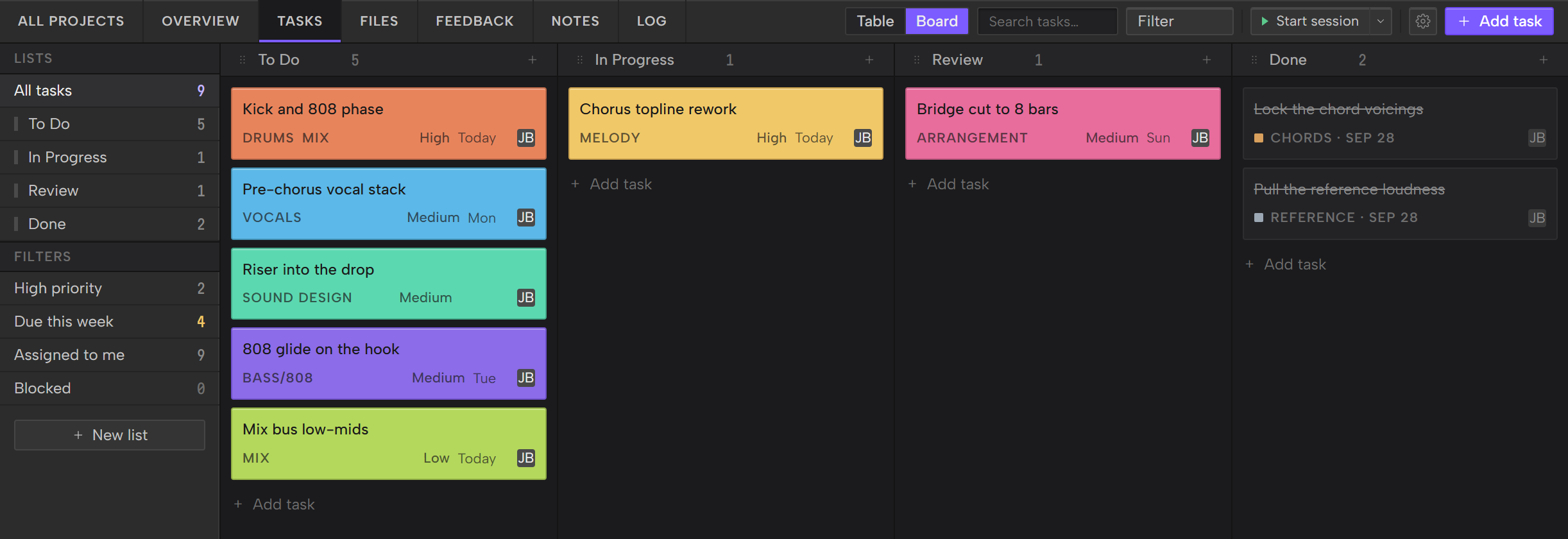
Tag each task with the part of the track it touches: Melody, Chords, Drums, Bass/808, Arrangement, Lyrics, Mix, Sound Design, Reference or Vocals. Plan the work in lists, then switch between a Table and a Board.

Learn how to manage a music project with tasks.

The Tasks screen in the table view, with the Lists sidebar and tasks grouped by list
Table
The Tasks board, one column per list, with tasks as colored cards
Board
Files

Bounces, stems and samples, sorted into buckets.
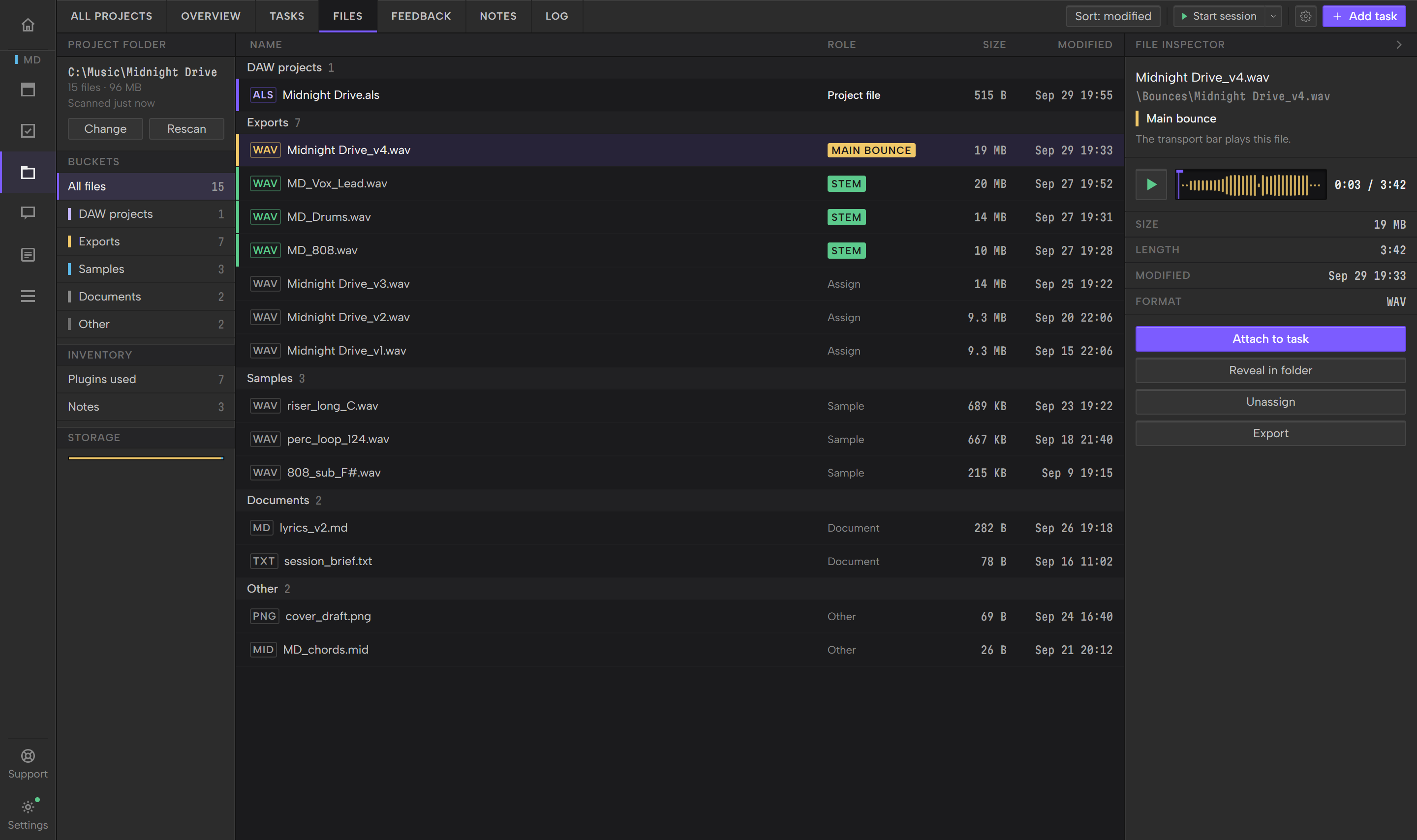
Outro reads the project's folder on your drive and sorts what it finds into buckets such as DAW projects, Bounces, Stems, Samples and MIDI. It changes nothing in the folder unless you choose to.

Learn how to organize your DAW project files.

The Files screen: the folder and buckets on the left, the file list in the middle and the File inspector on the right
Notes

Notes that stay with the track.
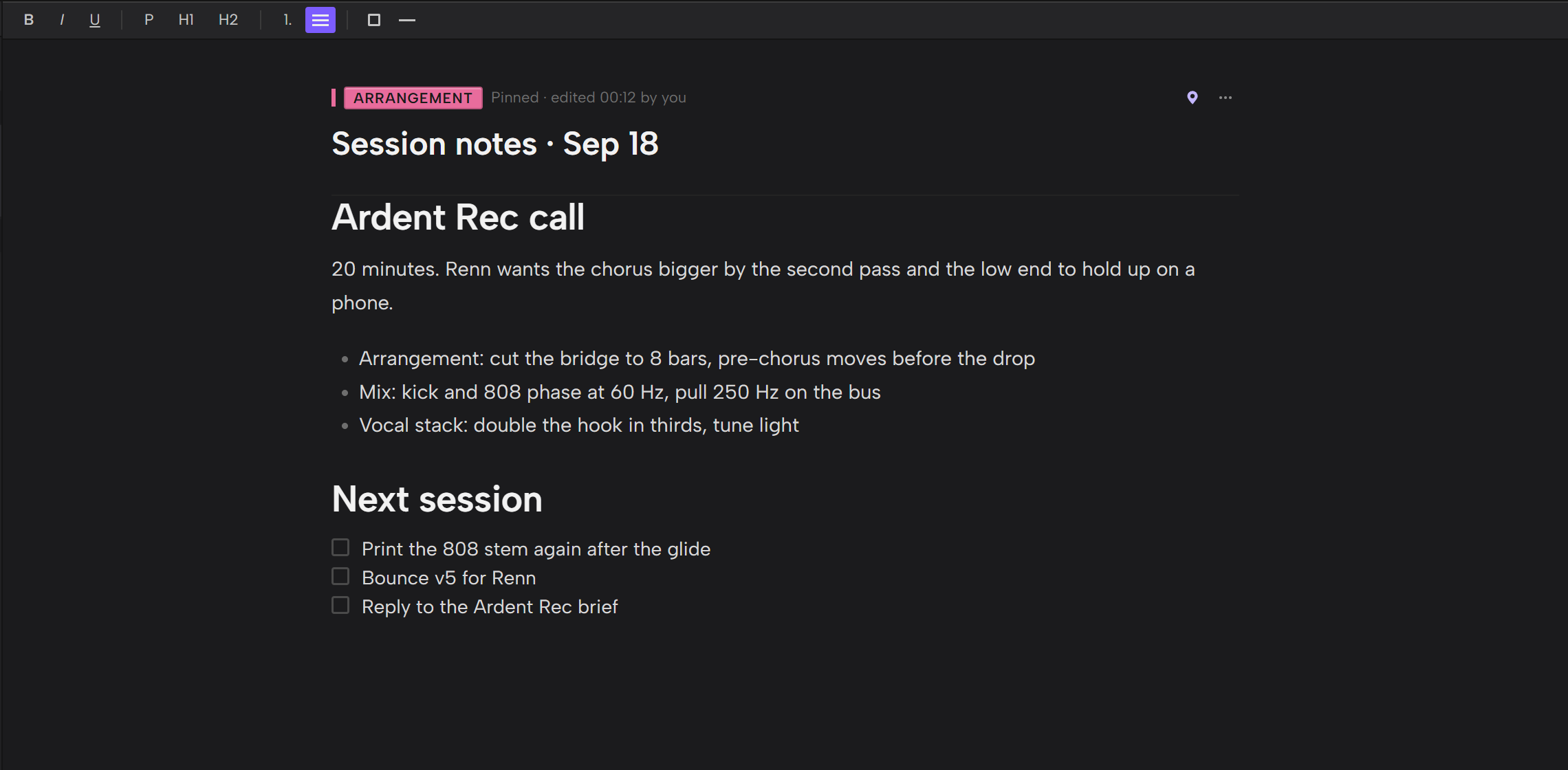
Keep lyrics, mix notes and references in the project. Tag a note with the same parts of the track the tasks use, such as Melody, Drums or Mix.

Learn how to keep lyrics and mix notes with a project.

An open note with a heading, a bulleted list and a checklist, and the formatting toolbar above it
Session log

See where the session hours went.
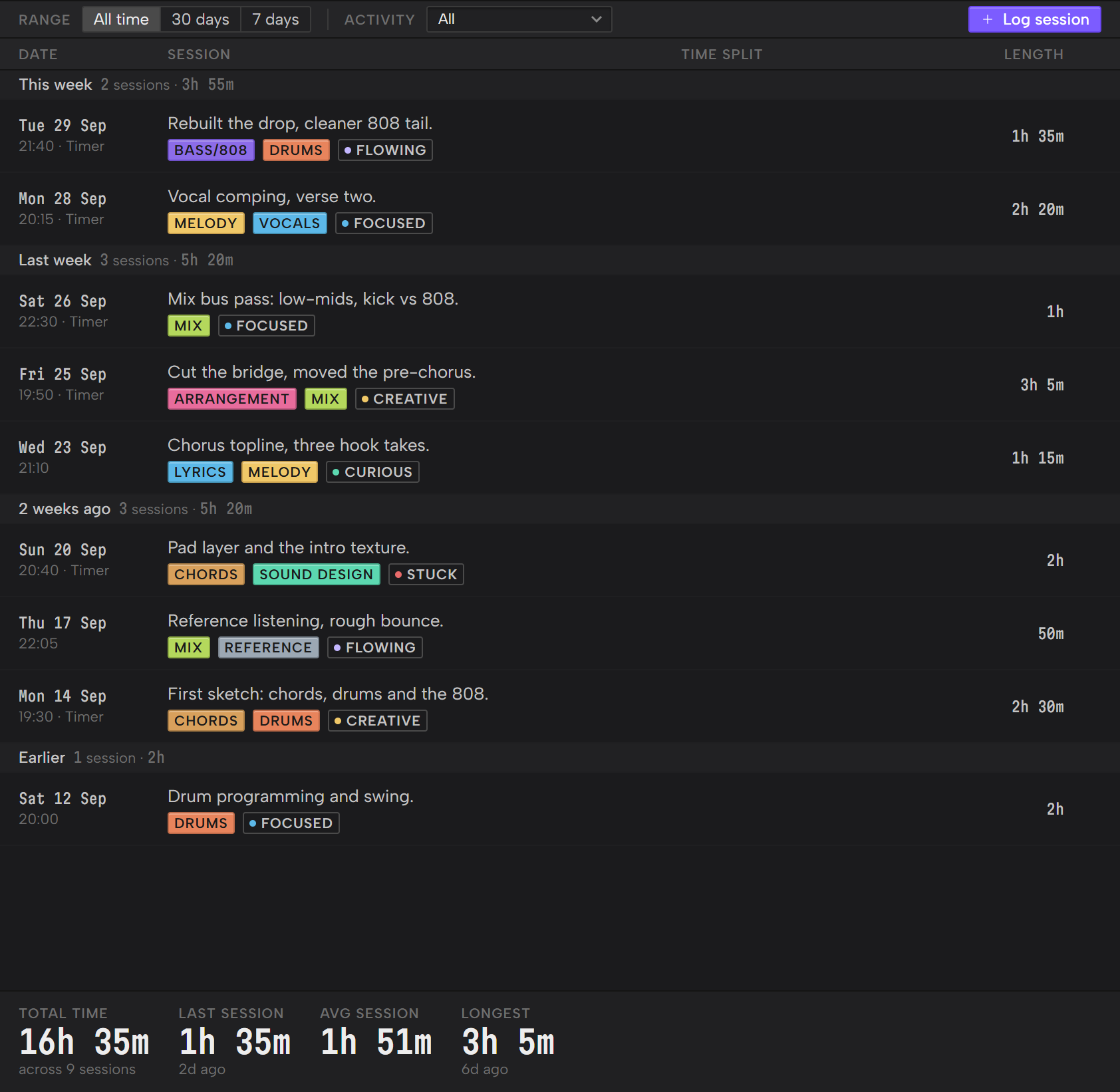
Time a session with the timer in the project's toolbar, or log it by hand afterwards. The Log groups your sessions by week and totals the time, with the last session, the average and the longest.

Learn how to log your studio sessions and track your hours.

The Log screen with sessions grouped by week and the stats along the bottom
Timestamped feedback

Feedback pinned to the exact second.
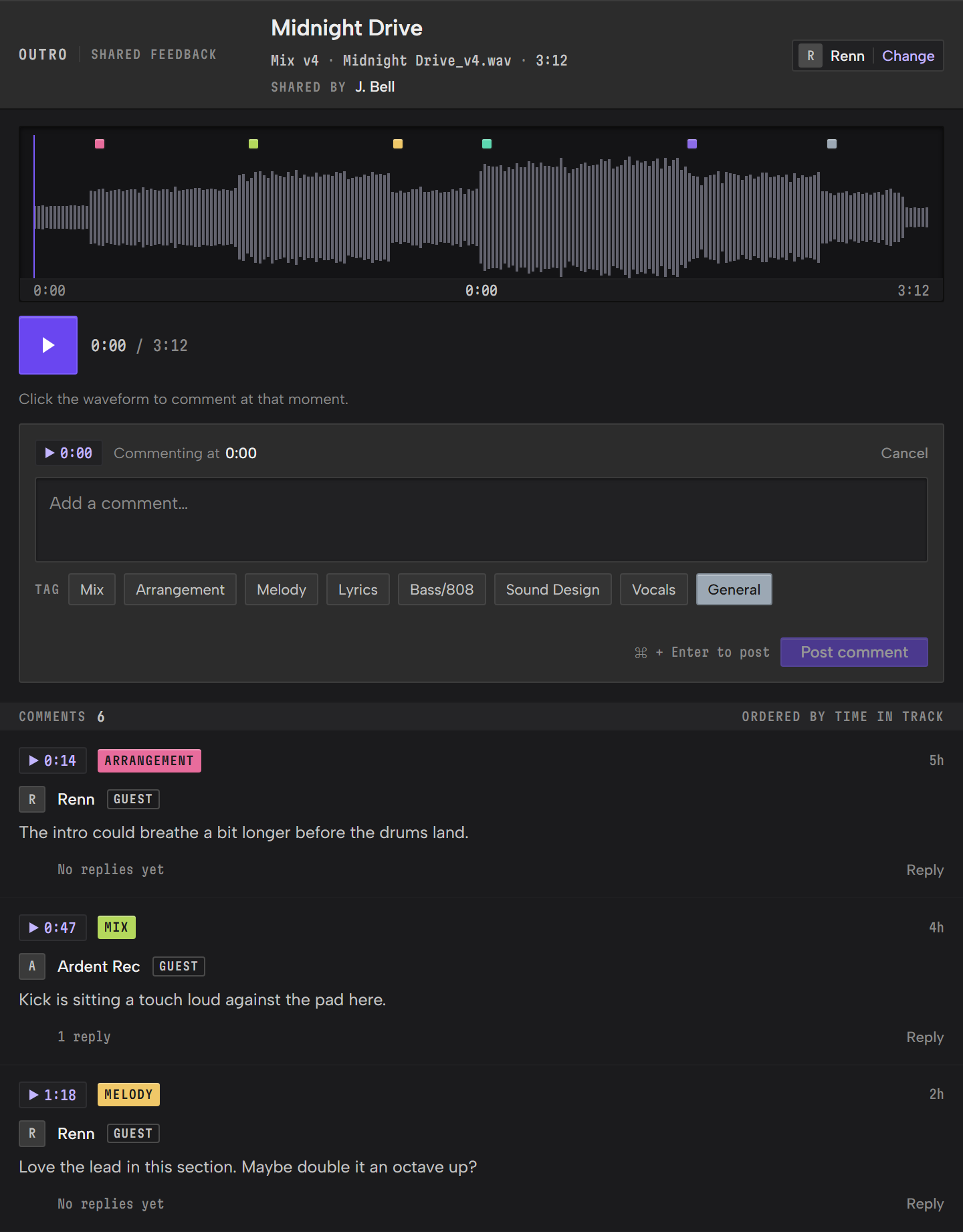
Upload a bounce and send its Share Link. A guest plays the track and leaves comments pinned to the exact second, with no account. You read them in Outro, and any comment can become a task.

Learn how to get timestamped feedback on a mix.

The shared feedback page a guest sees: the track's waveform with comment pins, the comment box and the comment list
BPM and key

BPM and key, read from your DAW session.
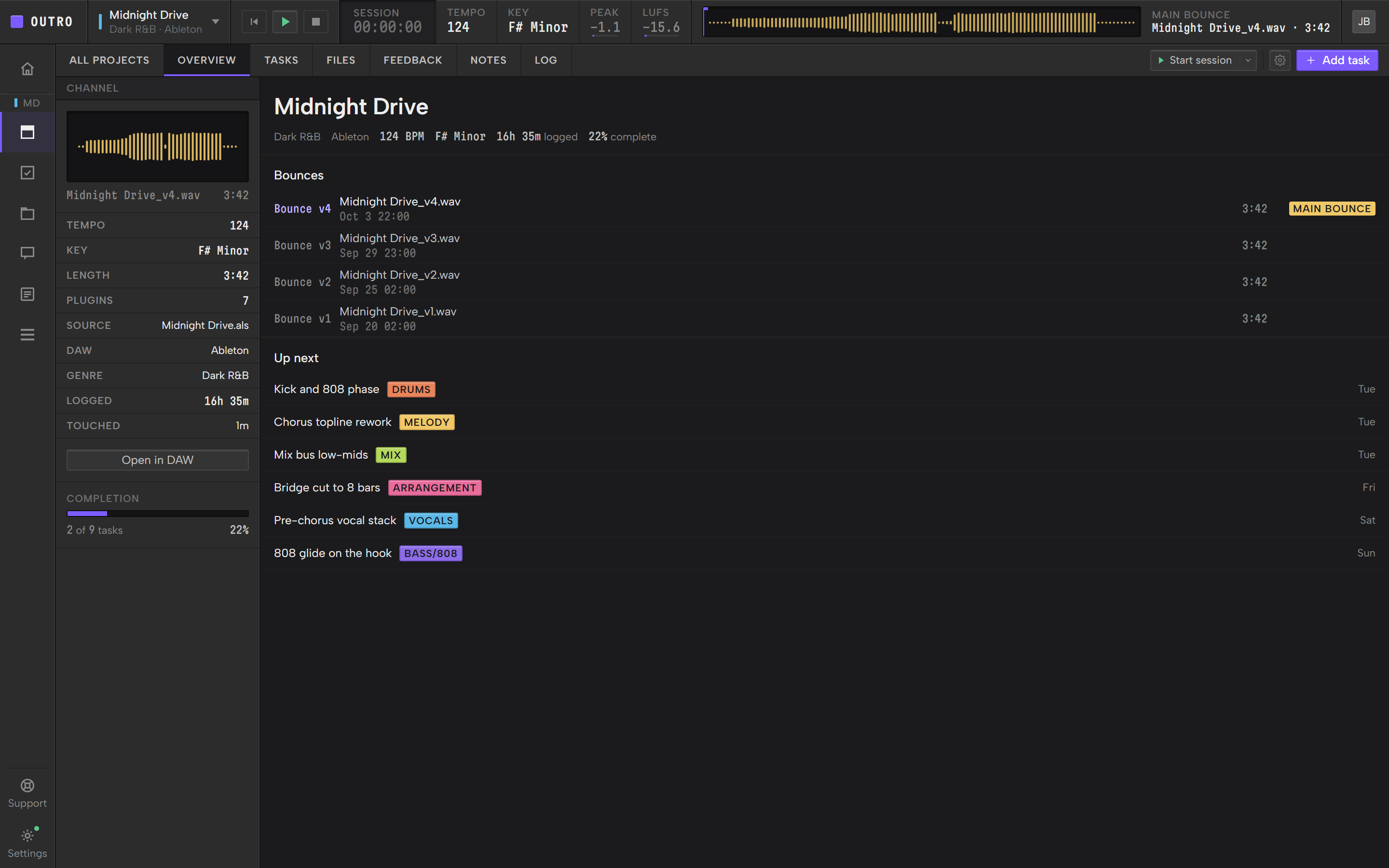
Outro reads the BPM and key from the project's DAW session when it can, and shows the ones you set when it can't. They sit in the transport bar and on Overview, beside the main bounce's peak and loudness.

Learn how to check where a music project stands in Outro.

See which DAWs Outro works with and what it reads.

The Overview screen, with the Channel column and its Open in DAW button, Bounces and Up next
Templates

Start from a template.

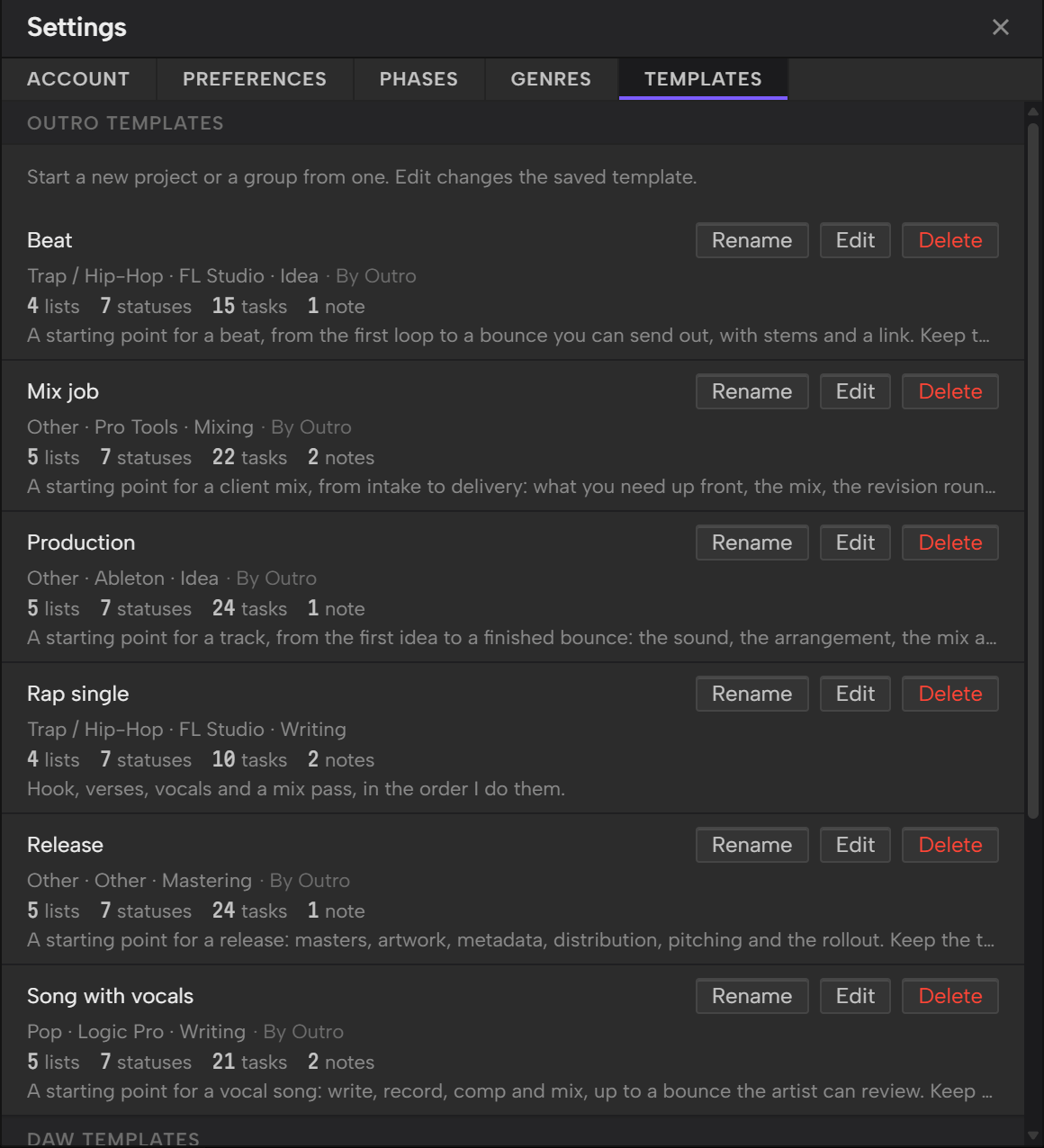
Outro adds five starter templates of its own: Beat, Song with vocals, Mix job, Release and Production. Each one is a starting point, so keep the tasks that fit and delete the rest.

Learn how to start a project from a template.

The Templates tab in Settings with Outro's starter templates, such as Beat, Mix job and Production, each ending in By Outro, and one template of your own, Rap single, each with its lists, statuses, tasks and notes

Give every track a home.

Join the beta for Windows and Mac.

Beta · Windows and Mac · No card required