Press kit
Fact sheet
- Name
- Outro
- What it is
- A project management app for music producers. It sits next to any DAW.
- Platforms
- Windows and Mac
- Status
- Public beta
- Website
- getoutro.app
- Works with
- Any DAW. Outro lists your sessions and reads details from FL Studio, Ableton Live, Logic Pro, Pro Tools, Studio Pro (formerly Studio One), Reaper and Cubase. What Outro reads from each DAW
- Where data lives
- Outro is a local-first desktop app. Only feedback you choose to share lives in the cloud.
- Company
- Outro LLC
- Press contact
- marketing@getoutro.app
Key features
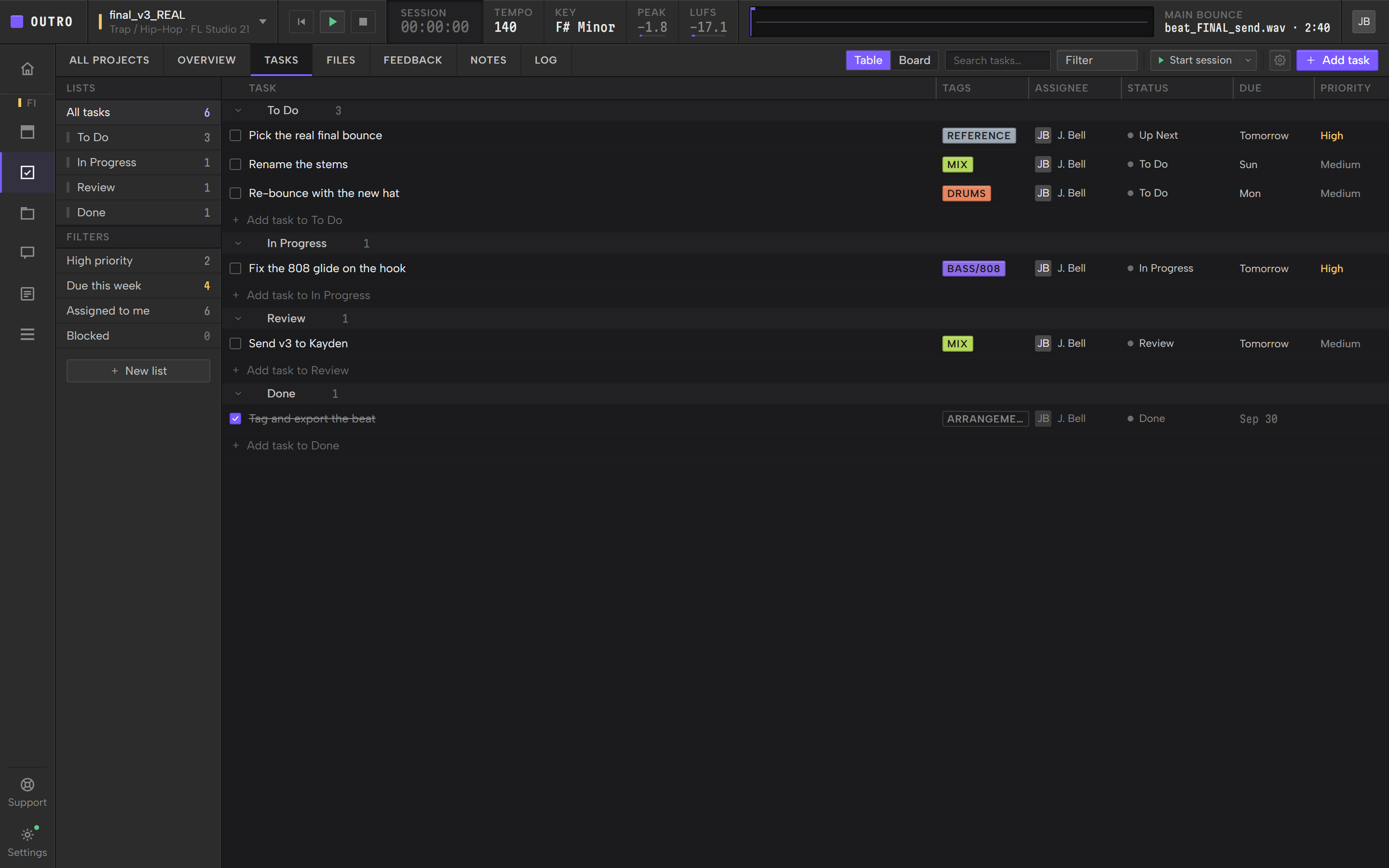
Plan the work in lists, as a table or a board. Tag each task by the part of the track it touches, such as melody, drums or mix.
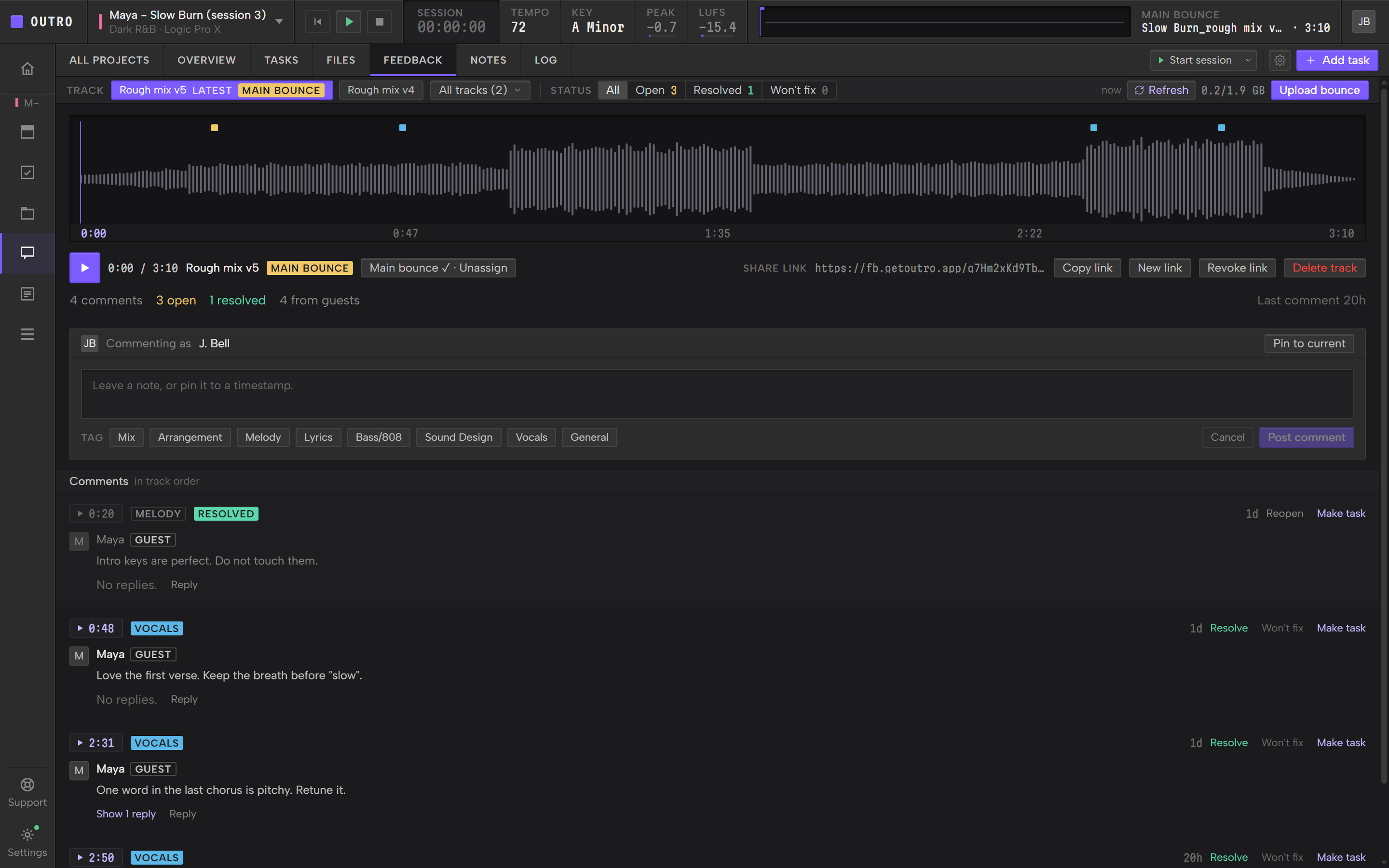
Upload a bounce and send a Share Link. A listener comments on the exact second, with no account. Turn any comment into a task.
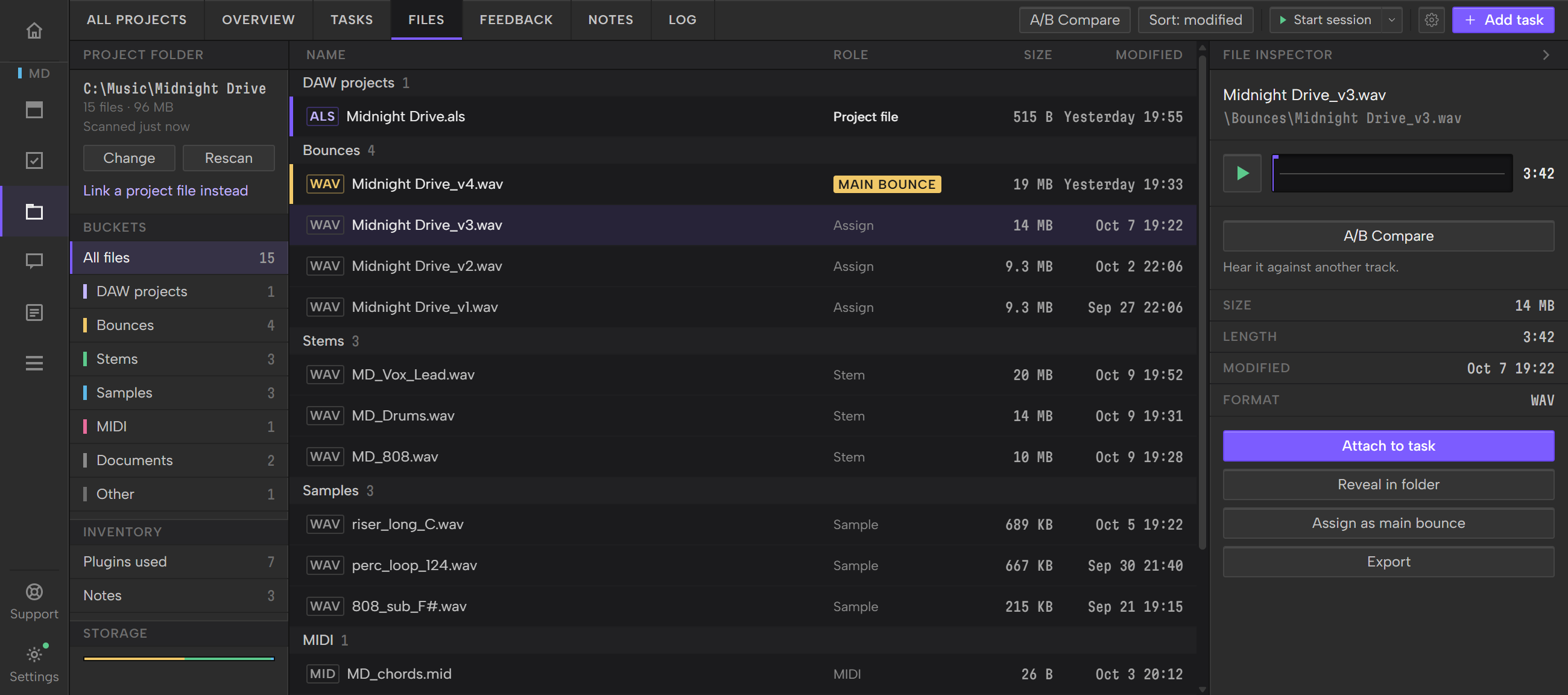
A project's files sorted into buckets: DAW projects, Bounces, Stems, Samples, MIDI, Documents and Other.
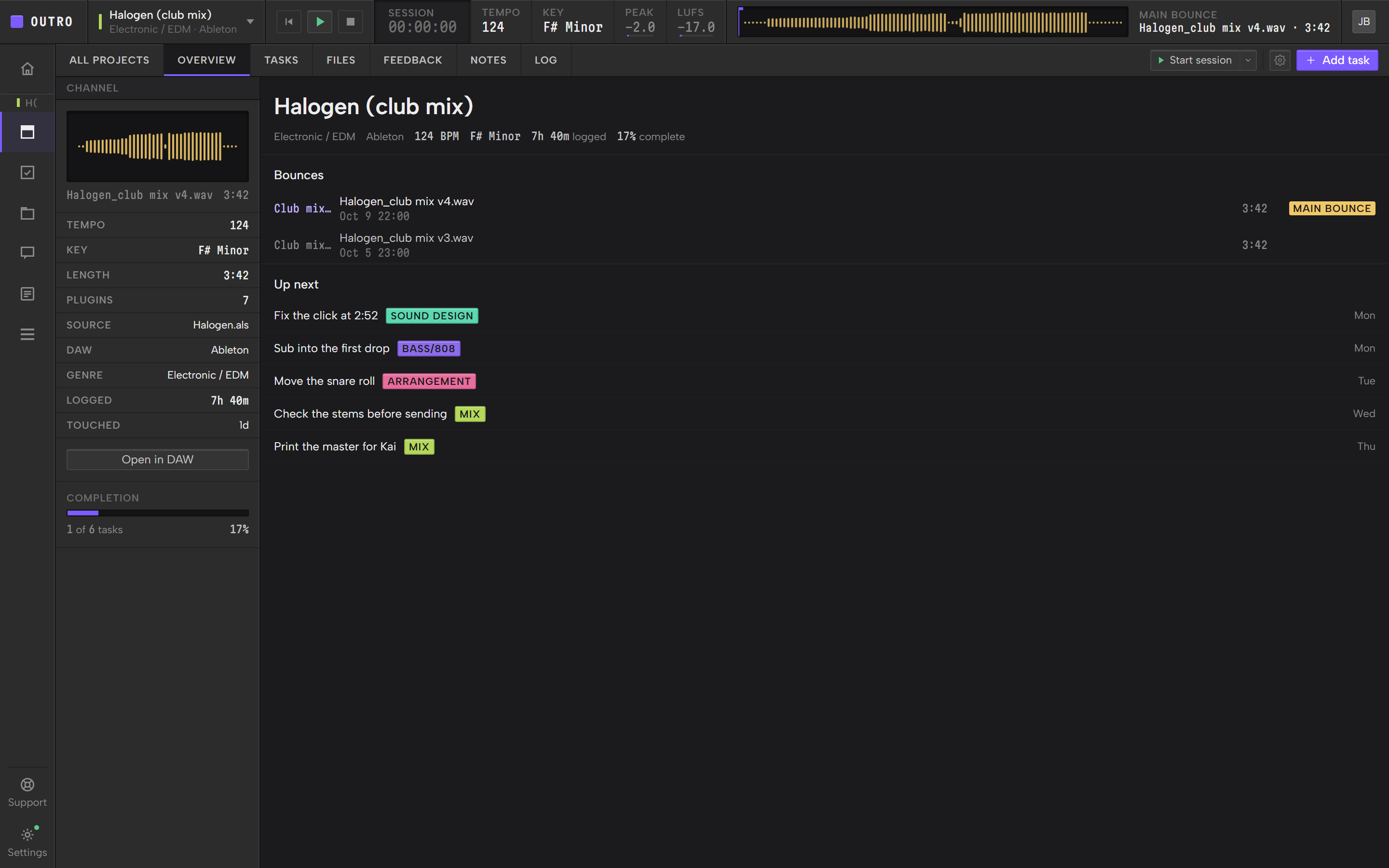
BPM, key, bounces, loudness readouts, progress and the tasks due next on one screen. Play the main bounce from the transport bar.
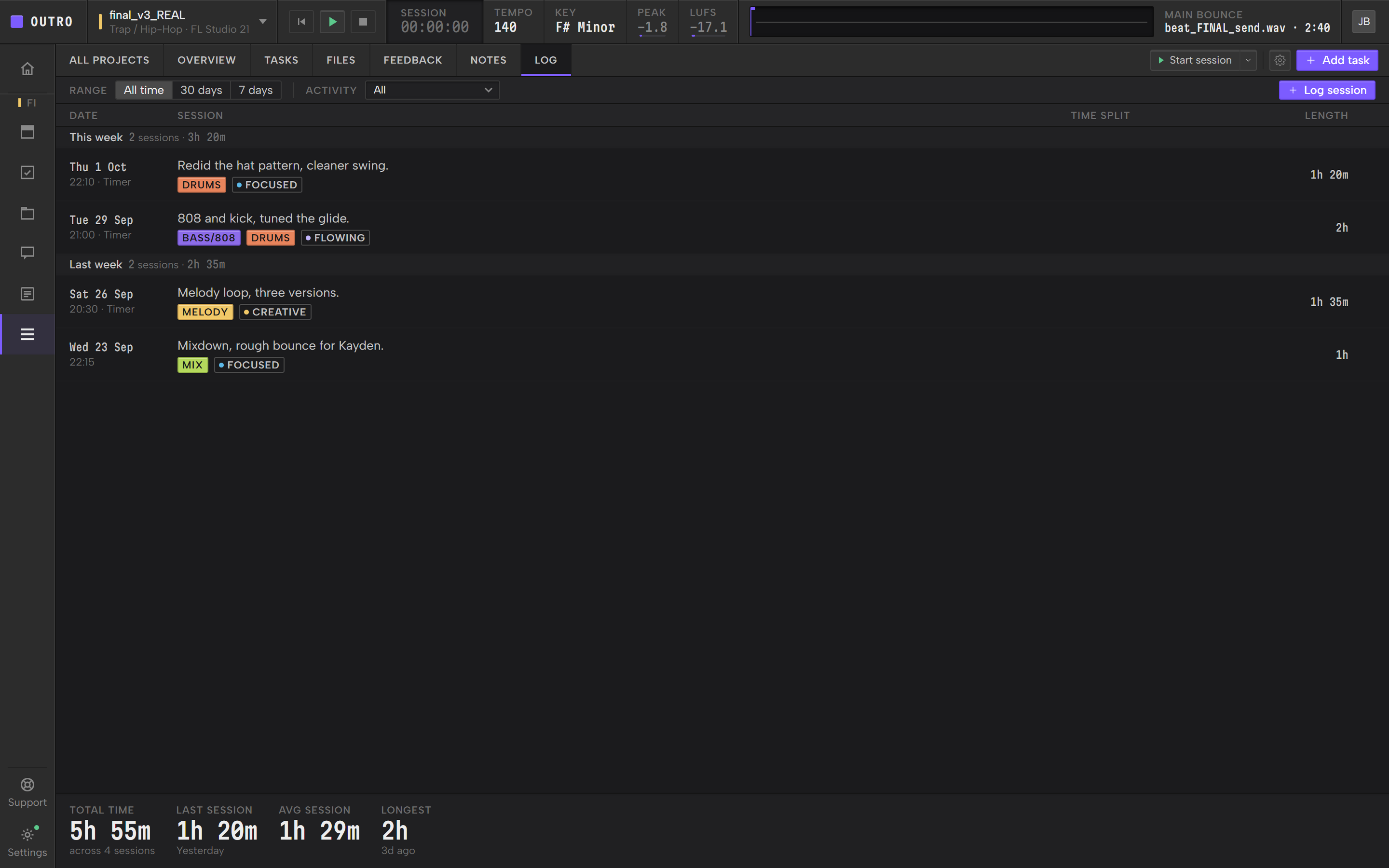
Time a session or log it by hand. Each project shows its total time, average session and longest session.
Play two or three tracks from a project on one playhead and switch between them with no gap.
Boilerplate
Project management for music producers
A desktop app that sits next to any DAW: tasks, files, notes, a session log and timestamped feedback for every track.
Outro is a desktop app that sits next to any DAW. Each track gets tasks, files, notes, a session log and timestamped feedback. In public beta.
Outro is a project management app for music producers. It sits next to any DAW on Windows and Mac and gives every track its tasks, files, notes, session log and timestamped feedback. Outro is in public beta. getoutro.app
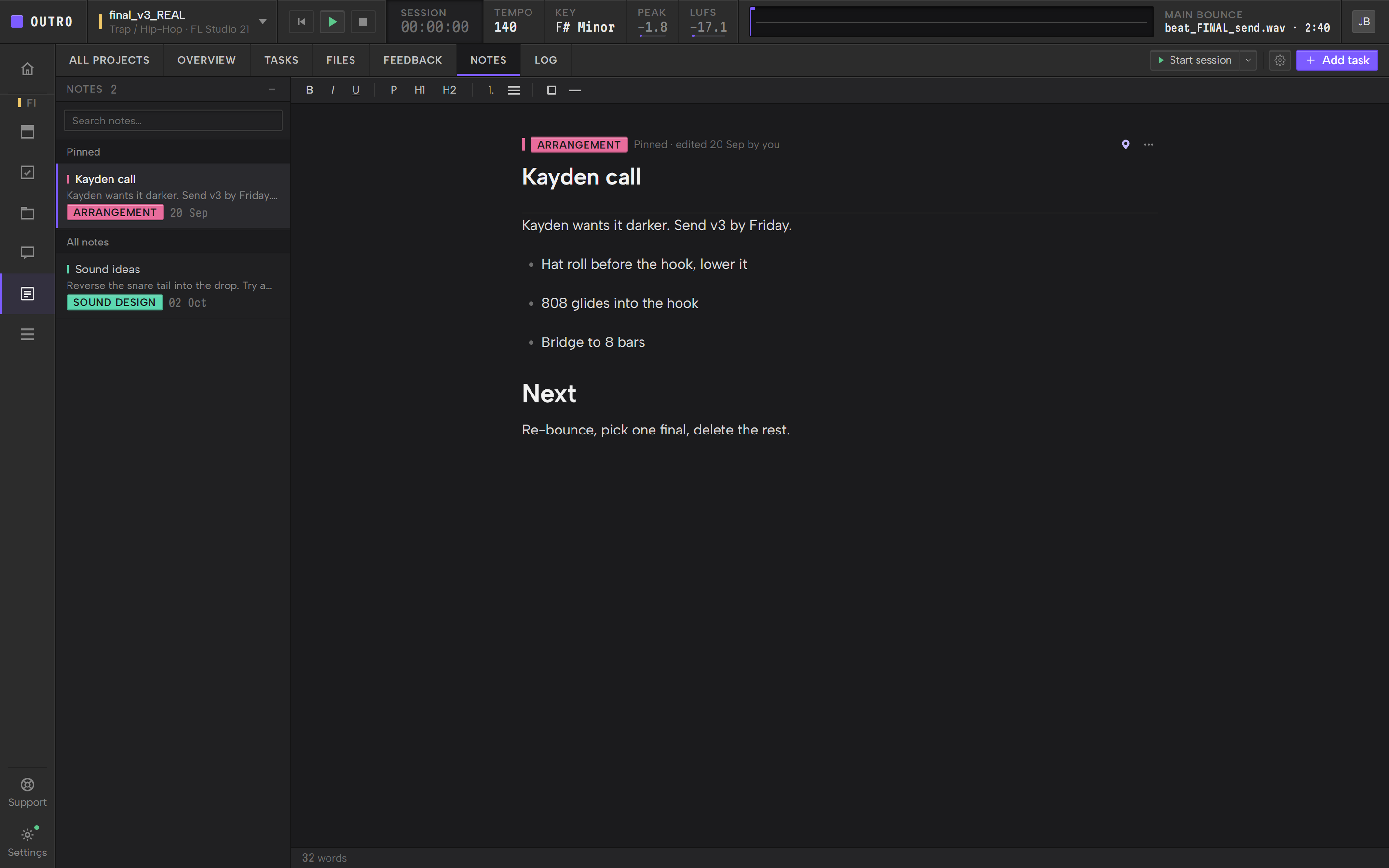
Outro is a desktop app for Windows and Mac that sits next to any DAW. It gives every track one home. Tasks are tagged by the part of the track, as a table or a board. The project's bounces, stems and samples are sorted into buckets. A session log keeps a timer and the hours. Notes stay with the project. A Share Link lets a listener comment on the exact second of a bounce, and you click the time to play from there. Outro reads BPM and key from your DAW session when it can. Outro is in public beta for Windows and Mac.
Founder

Christian Caicedo
Christian Caicedo is the founder of Outro, based in Austin, TX. A producer, mixing and mastering engineer and artist for 15 years, Christian writes Trance, Electro, Drum and Bass and Bass House, starting on Logic, moving to Cubase and now working in Ableton. Client tracks have had support from Dr. Fresch and James HYPE. Outro came from a long struggle with finishing music: knowing what to do next, keeping feedback organized and sharing files.

Logo pack


| File | Use | Size |
|---|---|---|
| outro-mark.svg | The mark, vector. Transparent. | 0.3 KB |
| outro-mark-512.png | The mark, 512 x 512. Transparent. | 8 KB |
| outro-mark-1024.png | The mark, 1024 x 1024. Transparent. | 18 KB |
| outro-lockup.svg | Mark and wordmark with light text, for dark backgrounds. Transparent. | 4 KB |
| README.txt | Usage rules and the press contact. | 0.3 KB |


Colors
Type and use
Screenshots
Press contact
Questions, interviews and screenshots in another size. Write to us here.
marketing@getoutro.appEmail