Join the waitlist and get exclusive discounted pricing at launch.

ONCUE
For music producers

A track-finishing tool for music producers.

Sits alongside your DAW: plan the work, keep the files straight, and turn scattered feedback into finished tracks.

See what’s inside

Private beta · Windows & macOS · No card required
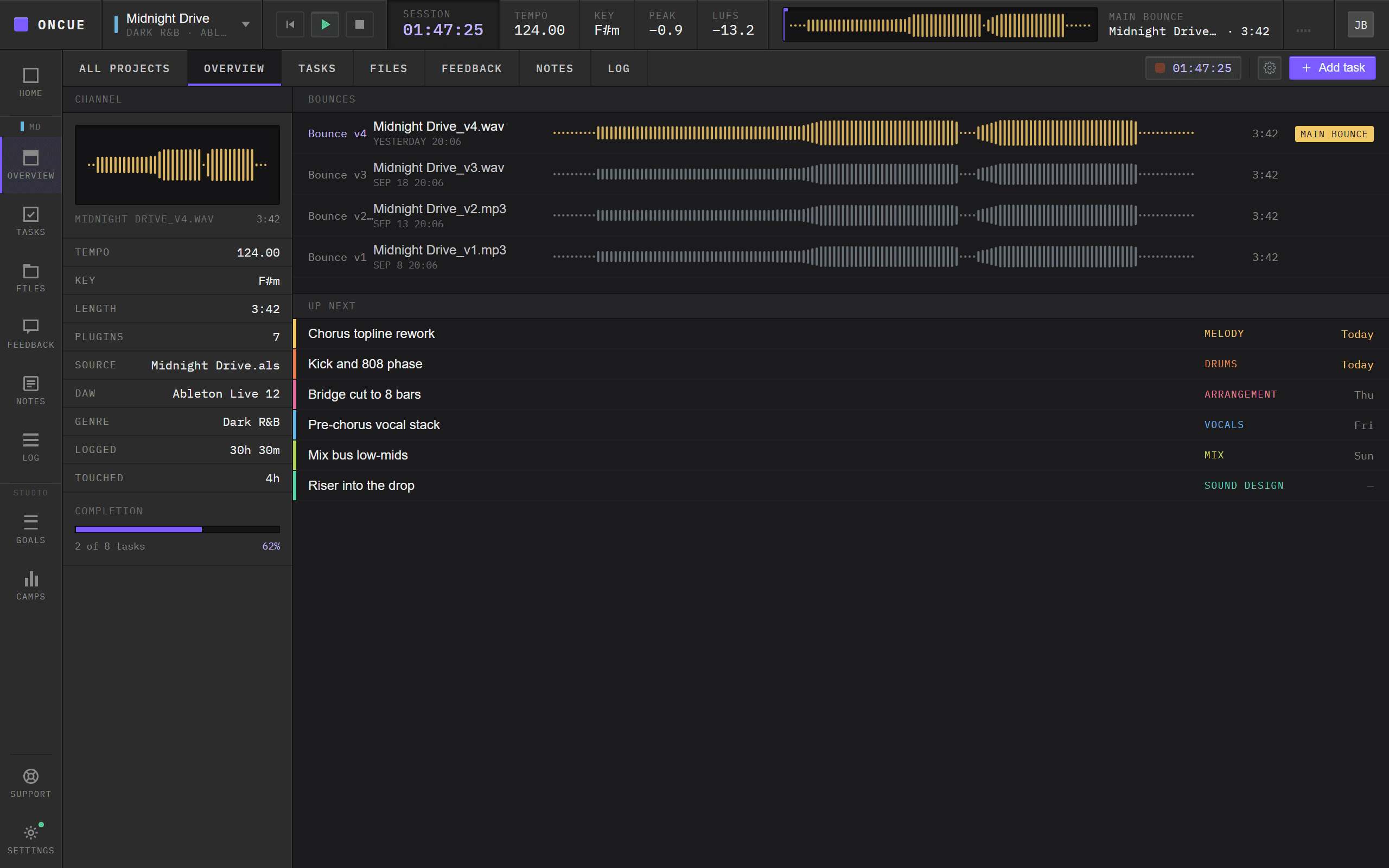
The OnCue desktop app: a project's Overview, with the transport bar, main bounce and bounce history.
What is OnCue

Project management built for the studio, not the boardroom.

OnCue is made specifically for music producers, audio engineers, and studios, not a generic task tracker retrofitted for creative work. Tasks get tagged by craft instead of department, and progress tracks by track instead of sprint. It works just as well for a solo producer finishing a beat as it does for a studio team juggling several projects at once.

Task lists, tagged by craft

Melody, drums, mix, lyrics, sound design. Organize work by what it actually is, not a generic label.

Built for one or a whole team

Works for a solo bedroom producer just as well as a studio moving several projects at once.

Session history, automatically

A running log of what got done, when, and for how long, so you’re never guessing where a project left off.

Sound familiar?

47 unfinished projects named final_v3_REAL.flp.

Ideas scattered across folders, feedback buried in DMs, no way to tell what’s actually done. OnCue gives every track a home, from first idea to final bounce.

What you get

Everything you need to finish, not just start.

Projects & Tasks

Tasks organized by what they’re for.
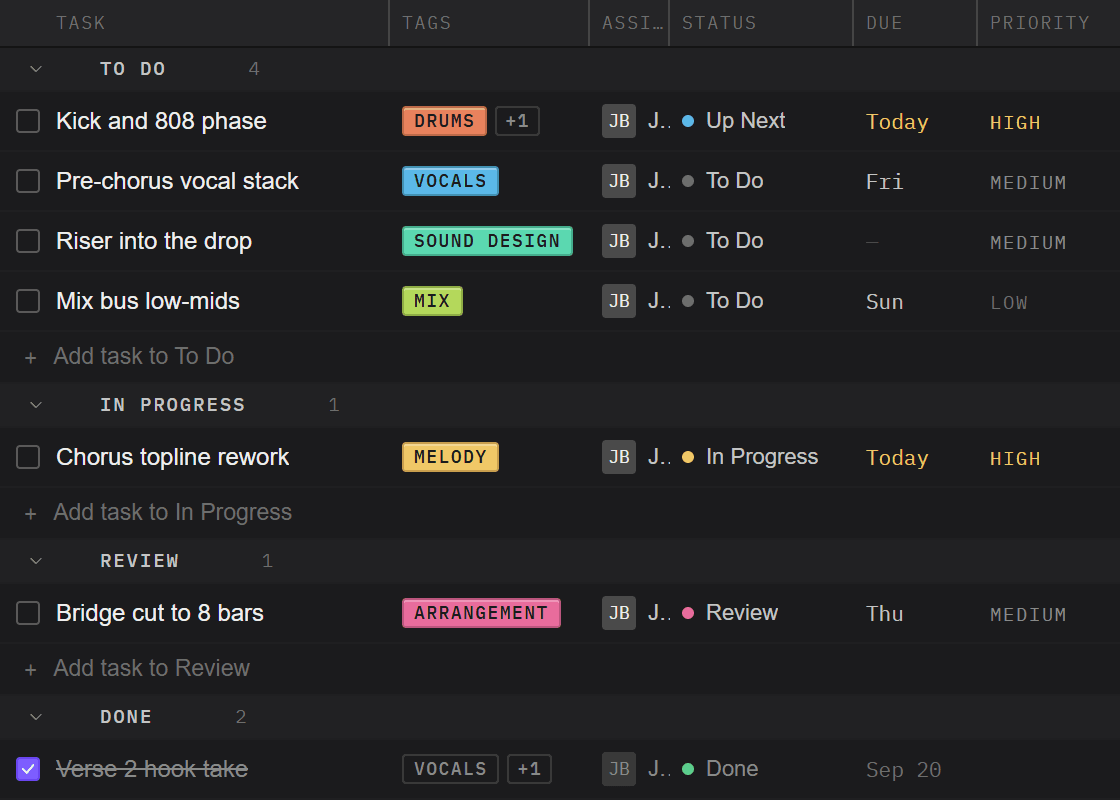
Tag every task by craft (melody, drums, mix, vocals and more) so the list reads like the work itself. Sort by tag to line up a session, or by due date to see what’s actually urgent.

A task list with craft tags: Melody, Drums, Bass/808, Vocals and Mix.
Timecode Feedback

Feedback that lives on the waveform.
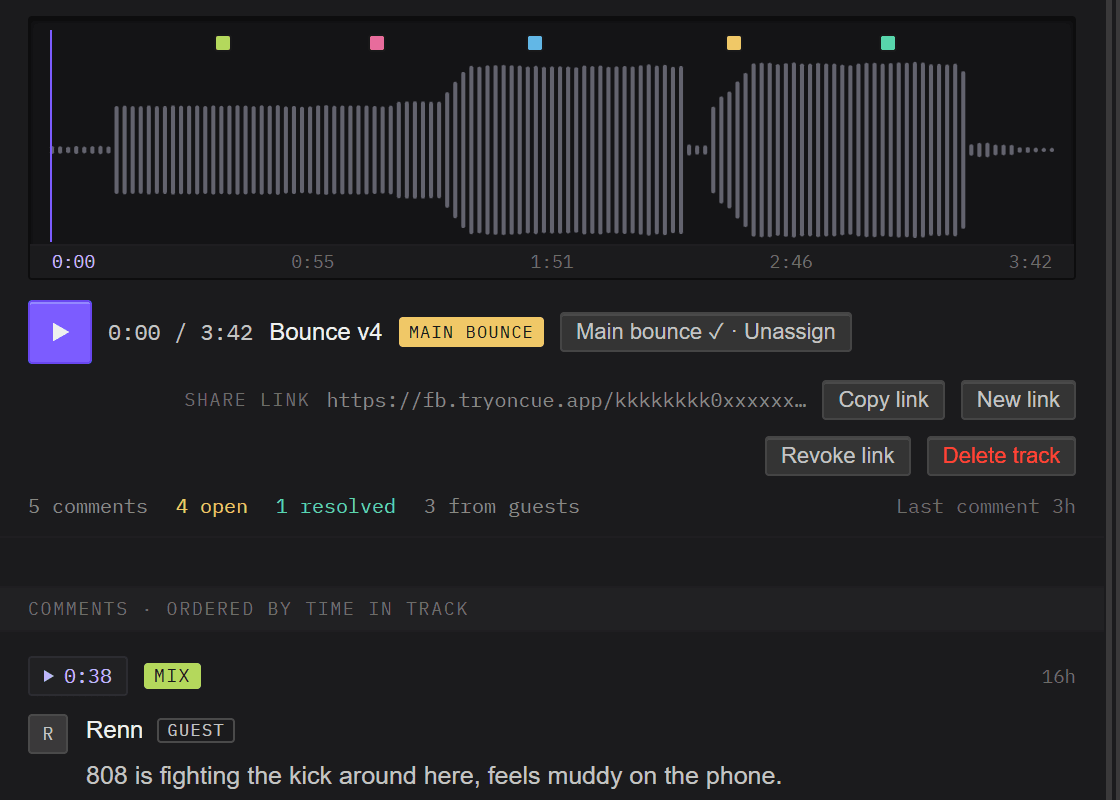
Share a link and collaborators comment right on the track, at the exact moment they mean. Guests need no account, and you can revoke any link from the desktop app.

A bounce's waveform with comment pins, and timecoded comments from a guest.
CollaborationIn development

Work the session together, from two different rooms.

Invite a collaborator into the project and sync files without leaving the app. OnCue compares both plugin folders so you know what they’re missing before you send the session, then syncs the samples they don’t have.

  • Invite collaborators straight into a project, with no zip files, no shared-drive scavenger hunt.
  • Sync project files from inside the app, so everyone is on the same version.
  • Know which plugins you both have, and which ones they’re missing, before you send the session.
  • Sync samples remotely so a missing one-shot never stalls the session.
Files & Plugins

Every stem, bounce, and preset where it belongs.
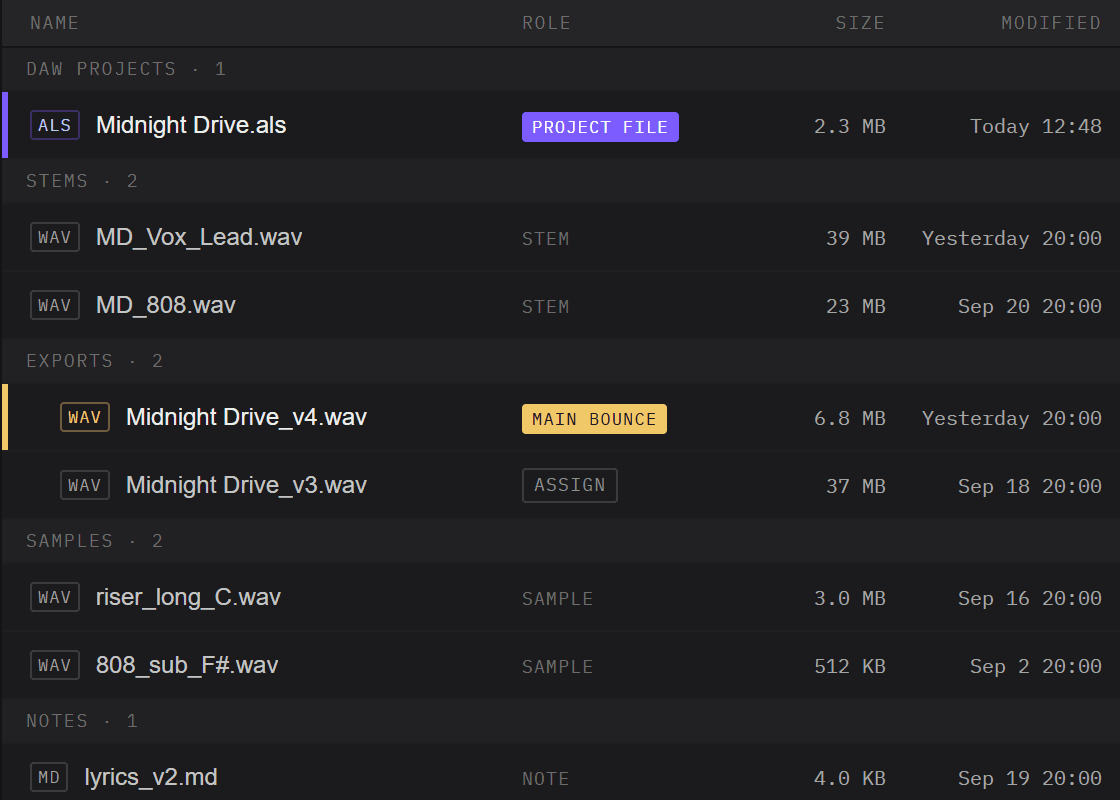
Project files sort into buckets (project files, stems, bounces, samples) and OnCue keeps a running inventory of the plugins each project depends on. Open a track from two years ago and know immediately what it needs.

A project's files sorted into buckets, with the main bounce at the top.
Notes

The session notebook, attached to the track.
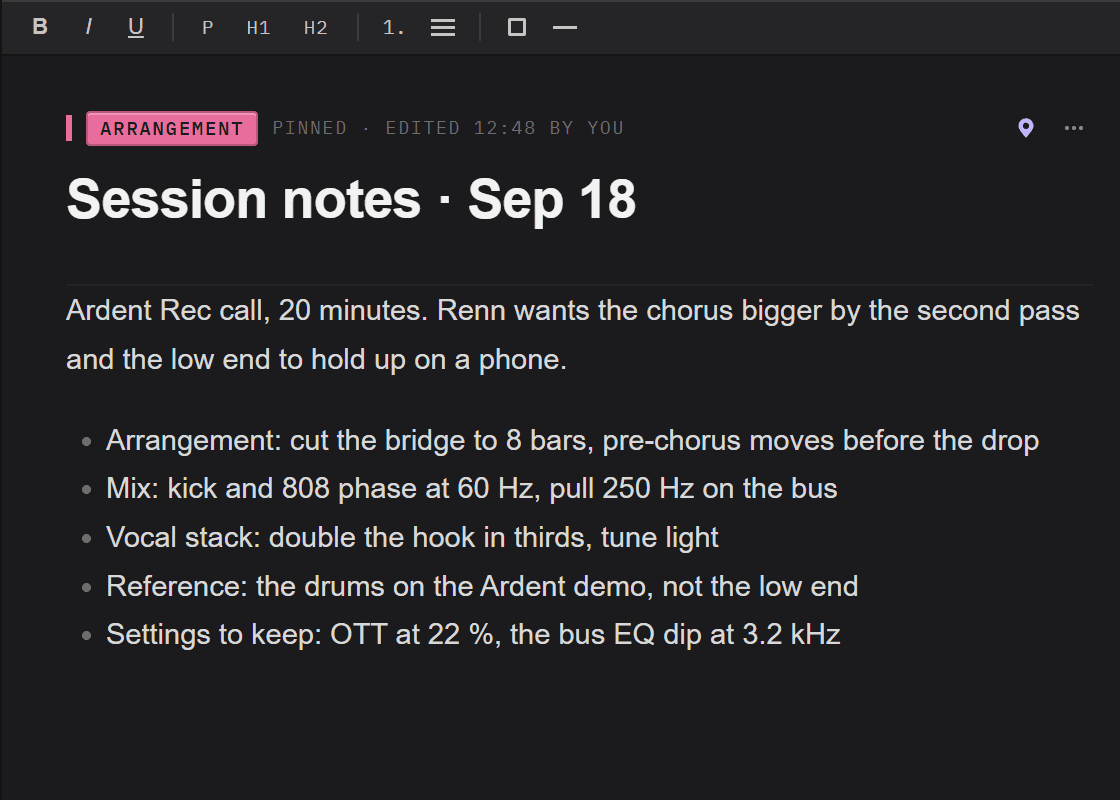
Reference tracks, chord ideas, what the artist said on the call, the settings you don’t want to lose. Notes live with the project instead of in an app you’ll never open again.

Session notes for a project: arrangement changes, mix notes and a reference.
Session Logging & Sync

Studio housekeeping, automated.
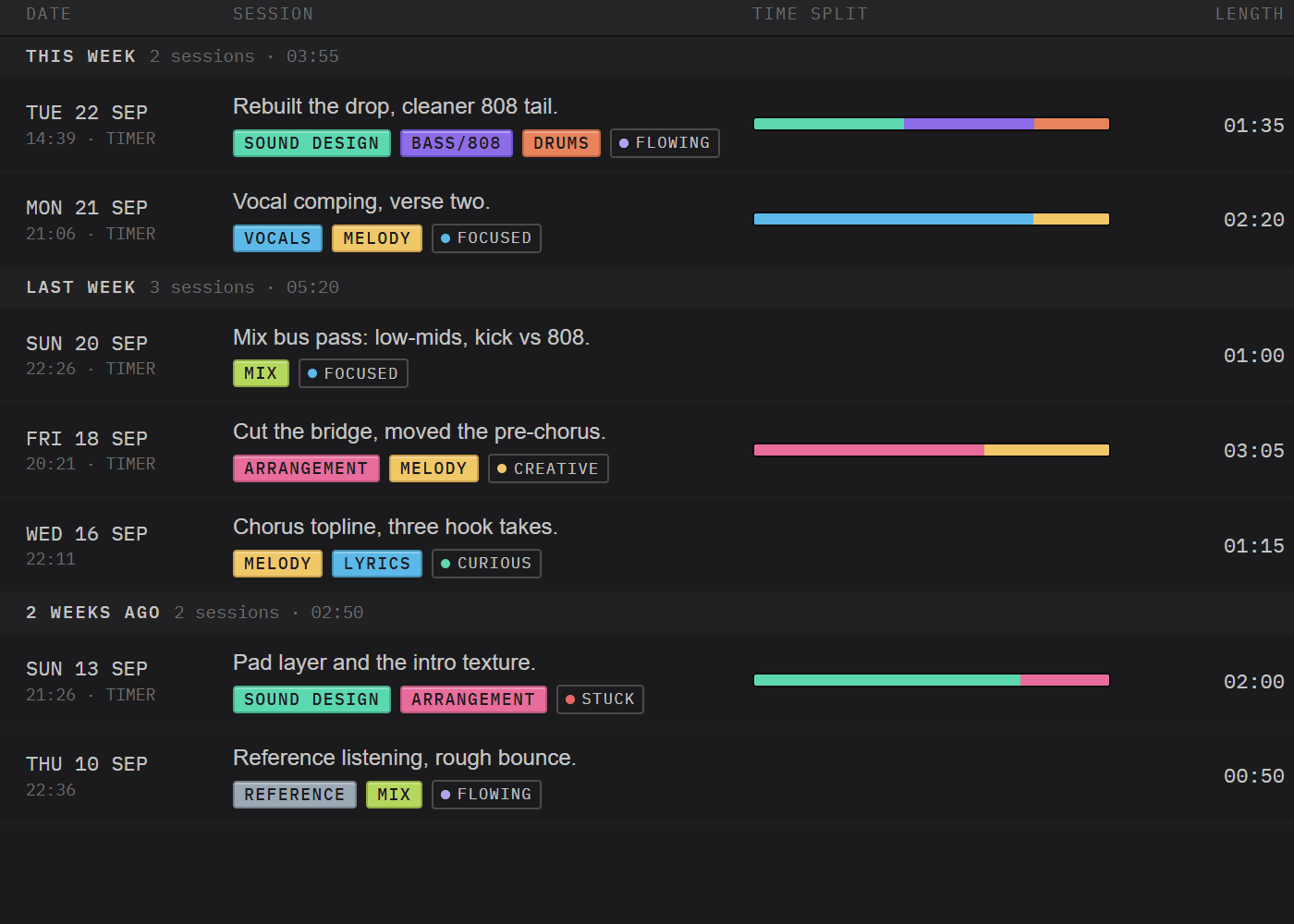
OnCue logs what you worked on and for how long while you work, and keeps project folders in sync in the background. No timers to remember, no end-of-month reconstruction of where the hours went.

A month of logged sessions, each with what was worked on and for how long.
DAW PluginIn development

Tempo, key, and peak, straight from the session.

We’re building a plugin that links OnCue to your DAW, so project details fill themselves in and the session clock starts when you do. It isn’t in the beta yet. It’s what we’re working on next.

Plugin linkNot connected
Tempo
Key
Peak
Session
Also inside

Writing Camps and SMART Goals, run a camp with a deadline and a target, or set a yearly goal and check in weekly. Structure for the part that isn’t starting.

How it works

01

Download the desktop app

For Windows or macOS. It runs alongside your DAW, not instead of it.

02

Link your free account

One place for your account across devices.

03

Share and finish tracks

Get feedback, structure the work, ship it.

The feedback loop

Share a link. Get real feedback. Finish the track.

Step 01

Send one link

Share the current bounce with anyone: artist, A&R, the friend whose ears you trust.

Step 02

They comment in place

No account, no download. They listen in the browser and drop notes on the waveform.

Step 03

Notes become tasks

Turn any comment into a tagged task and work through it in the app.

No account needed for guests. Comments land right on the waveform, at the exact moment they matter.

Already have access?

Sign in to your OnCue account.

Beta users, sign in to manage your account and linked devices. The desktop app links to the same account.

Log in
FAQ

Questions, answered.

A track-finishing tool for music producers, a desktop app that sits alongside your DAW.

Ready to finish the track?

Private beta · Windows & macOS · No card required